 Read the Voice
Choosing a conversation app for a hard-of-hearing senior
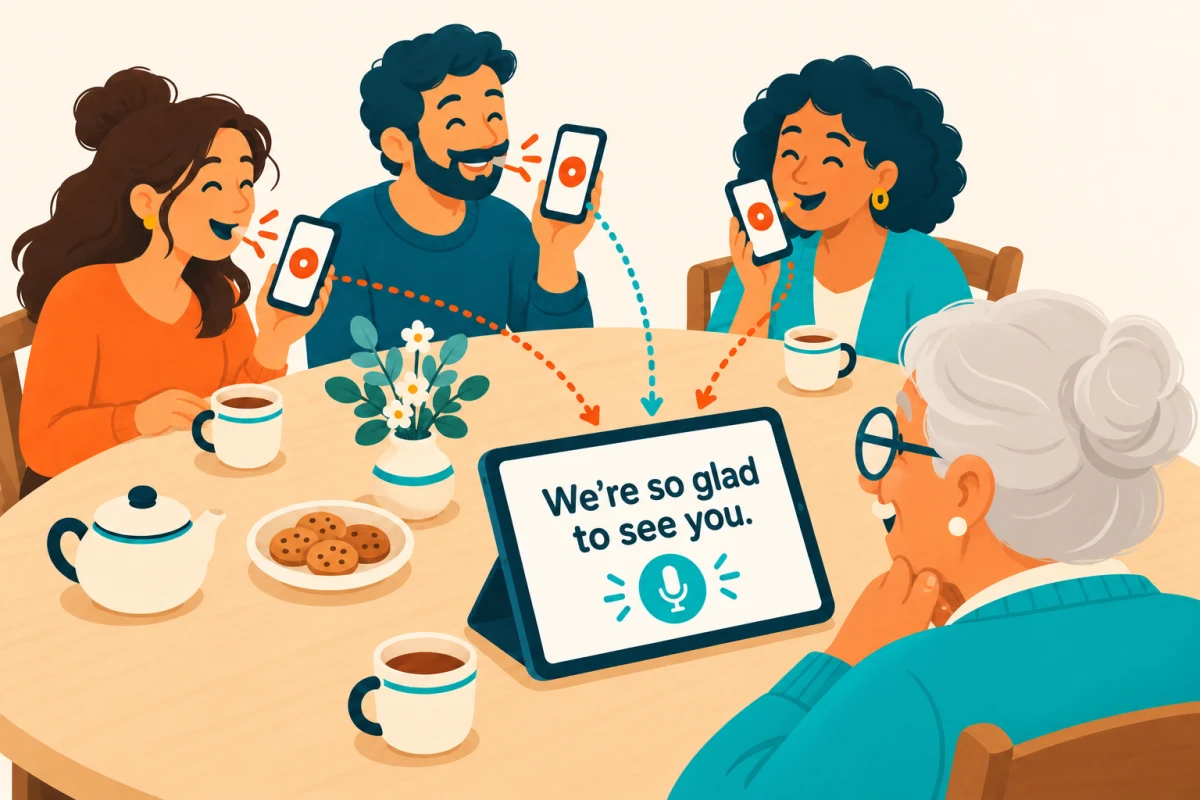
Start with a moment your family wants to share: a visit with Grandma, a question over breakfast, or a story around the table. A speech-to-text app can put spoken words on a screen so the person sitting with you can read them and reply.
Read the Voice is built for these face-to-face exchanges. The speaker holds the microphone button, says a sentence, then releases it. The words appear after processing. The reader chooses their own pace.
Try it together, on one device
Use an iPhone or iPad you already have. Choose standalone mode, place the screen facing the reader, and record an ordinary question. Ask whether the text is comfortable to read and adjust its size together.
The speaker can operate the microphone while the reader concentrates on the conversation. A quick tap does not record a whole sentence: hold the button until you finish speaking, then release it.
Check the pace as well as the text size
Leave time for processing, reading and a reply. Start with one idea per recording. If a word is wrong, repeat that part and check the new result together. Recognition can make mistakes, so confirm names, dates and other details that matter.
This is a turn-by-turn conversation aid. Words appear after release, rather than continuously while someone speaks. Trying a few actual exchanges helps you decide whether that rhythm suits both people.
Add a shared screen for family visits
With Tandem, Grandma or Grandpa keeps an iPad in front of them. Relatives connect their nearby iPhones and take turns holding their own microphone buttons. There is no need to pass one device around.
The receiving account supplies the recording minutes. Guests need the app and pairing approval, but no account or separate minute pack. See the family Tandem guide for setup.
Check the practical details
Read the Voice needs internet access for transcription and processes audio through its server and OpenAI with consent. Keep the apps open, with Wi-Fi and Bluetooth enabled for Tandem.
Eligible Apple-linked accounts receive 20 introductory minutes. The US 60-minute pack costs $1.99, with no subscription. Recorded time includes pauses while holding the button; processing time is not charged. Local App Store prices can differ.
Choose with the reader. Their preferred screen position, text size and conversation pace matter more than a long feature list. Begin with the large-text iPad guide, then try a sentence you actually want to say.